
The Visibility Gap: Why Your Unverified WhatsApp Messages Are Being Ignored (And How to Fix It)
Unverified WhatsApp messages are being ignored in 2026. Learn how verification, pricing changes, and algorithms impact visibility and how to fix it with Whatatalk.
You wouldn't send a high-stakes cold email from a generic gmail.com address and expect it to land in the Primary tab. You know it would trigger spam filters and end up in the digital trash.
Yet, thousands of B2B teams are currently doing the WhatsApp equivalent.
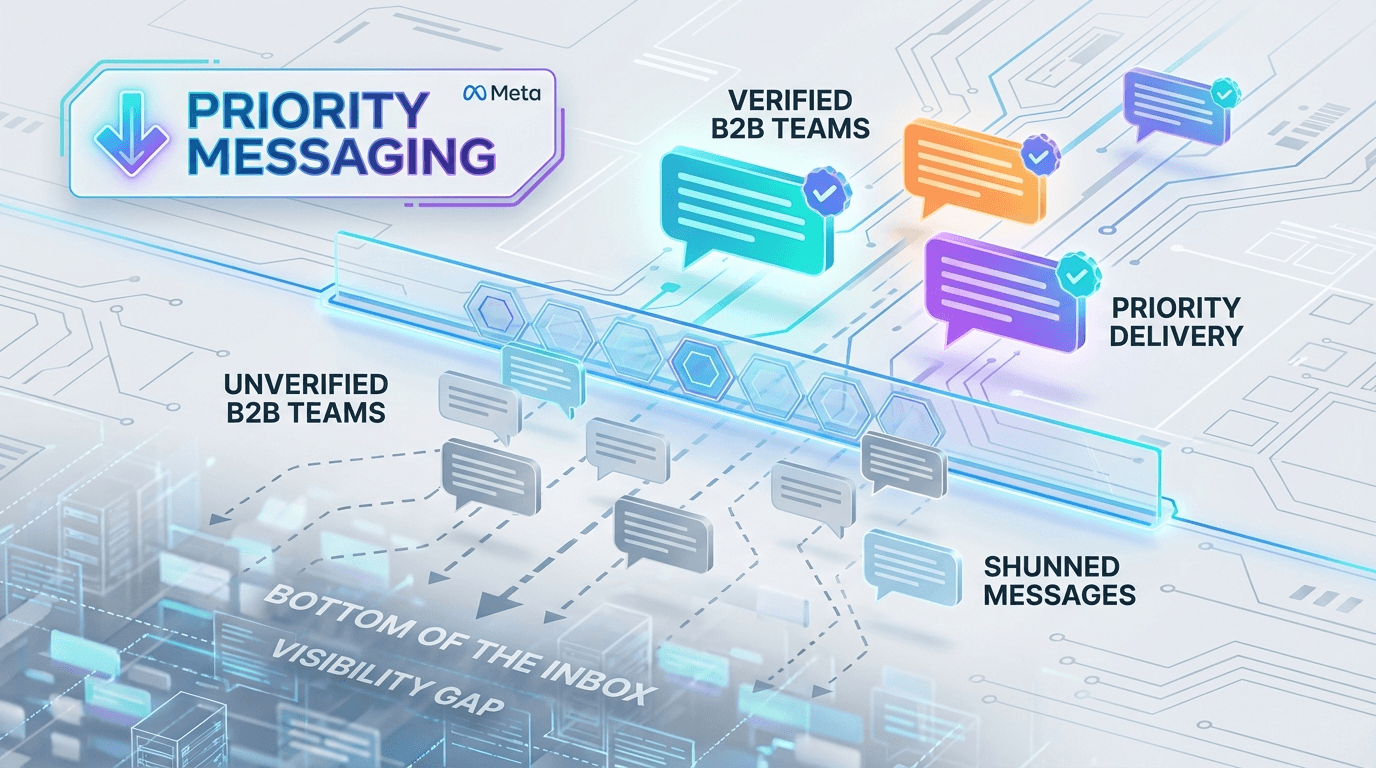
They are sending critical sales and support messages from unverified, "grey-ticked" accounts. As we settle into 2026, the landscape of WhatsApp Business has fundamentally shifted. While Meta hasn't released a button explicitly labeled "Priority Messaging," they have quietly built a two-tier inbox.
The combination of the July 2025 pricing changes, the transition to Meta Verified (Blue Ticks), and stricter algorithmic filtering has created a "Business Class" and an "Economy Class" for messaging.
If you are operating without verification, you aren't just paying more—you are becoming invisible to your prospects. Here is the reality of the Visibility Gap and how to bridge it.
The 3 Invisible Barriers Blocking Your Messages
In 2026, hitting "Send" does not guarantee "Read." Meta’s algorithms now prioritize user experience above all else, creating three distinct barriers for unverified teams.
1. The Identity Barrier (The "Who is this?" Problem)
When you message a prospect from an unverified account, you appear in their notification tray as a random string of numbers (e.g., +1 (555) 019-2834).
In the past, curiosity might have prompted a click. Today, users are trained to view unrecognized numbers as spam or fraud.
The Data: Verified WhatsApp Business accounts (displaying the Green or Blue Tick and Brand Name) now see open rates of ~98%.
The Reality: Verification replaces that random number with your Brand Name. This instantly bypasses the user's mental "spam filter." Without it, you are asking for a block before you’ve even said hello.
2. The Cost Barrier (The July 2025 Pricing Shift)
Last year’s pricing overhaul moved WhatsApp to a strict per-template pricing model (Marketing, Utility, Authentication).
Meta has made it financially punitive to send low-quality messages. Marketing messages from unverified accounts now fall into the highest-risk, most expensive category. Conversely, verified businesses gain access to "Utility" tiers (like shipping updates or appointment reminders) which are significantly cheaper—or sometimes free.
If you aren't verified, you are paying a premium to send messages that are less likely to be opened.
3. The Algorithmic Barrier (Quality Ratings)
This is the most critical, yet least understood, factor. Meta assigns every business phone number a Quality Rating.
Unverified accounts start with strict messaging limits (often capped at 250 conversations/day). If just a handful of users report your message as spam—which they often do simply because they don't recognize the number—your quality score plummets.
The Visibility Gap Mechanism: When your Quality Rating drops, Meta’s algorithm silently deprioritizes your delivery. Your messages may be delayed or shunted to the bottom of the queue. You aren't just losing trust; you are losing technical deliverability.
The Solution: How to Move to "Business Class" with Whatatalk
The "Visibility Gap" isn't insurmountable, but you cannot cross it with a standard WhatsApp Business App on a dedicated phone. You need an API-based infrastructure to verify your identity and manage your reputation.
Here is how Whatatalk helps you close the gap and secure your place in the priority inbox.
Step 1: Secure the "Ticket" (Verification Support)
The fastest way to fix the trust gap is to get verified. However, navigating Meta’s application process for the Green or Blue tick can be bureaucratic and confusing.
How Whatatalk helps: We act as your "concierge" for the verification process. Because Whatatalk is an official WhatsApp Business Solution Provider (BSP), we guide you through the submission to fast-track your application for the Green/Blue Tick.
The Result: Your messages arrive displaying your Brand Name, instantly establishing authority and skyrocketing your open rates.
Step 2: Protect the "Engine" (The Shared Inbox)
Meta’s algorithm loves speed. If you miss the 24-hour service window to reply to a customer, your Quality Rating takes a hit. Relying on a single phone passed around the office is a recipe for missed messages and algorithmic penalties.
How Whatatalk helps: Our Shared Team Inbox centralizes every chat into a single dashboard accessible by your entire team.
Auto-Assignment: Route messages to the right agent instantly.
Internal Notes: Collaborate on replies without leaving the chat.
The Result: Rapid response times keep your Quality Rating high, ensuring your account remains in the "Priority" tier for delivery.
Step 3: Scale the "Fuel" (Safe Broadcasts)
Unverified accounts are capped at low daily limits to prevent spam. To grow, you need to scale your outreach without getting banned.
How Whatatalk helps: Whatatalk’s Broadcast feature utilizes the official WhatsApp API. This ensures you are sending Meta-approved Templates that comply with the new pricing and policy rules.
The Result: You can safely scale from 250 to 1,000, 10,000, or even unlimited daily messages without triggering spam filters or risking an account ban.
Conclusion: Don't Get Stuck in "Economy Class"
The days of the "Wild West" on WhatsApp are over. In the current B2B landscape, visibility is a privilege earned through verification and quality.
If your team is still operating with grey ticks and random numbers, you are fighting for attention with one hand tied behind your back. It is time to upgrade your infrastructure to match the quality of your business.